

CRM for HVAC: Protect Crews Before You Dispatch
A tech pulls up to a job that looked fine on the phone. Twenty minutes in, the customer is arguing about the quote, the invoice from last year never got paid, and nobody in the office knew that history before the truck left the shop. That gap between what your office knows and what actually happened on the last job is where many HVAC companies lose money.
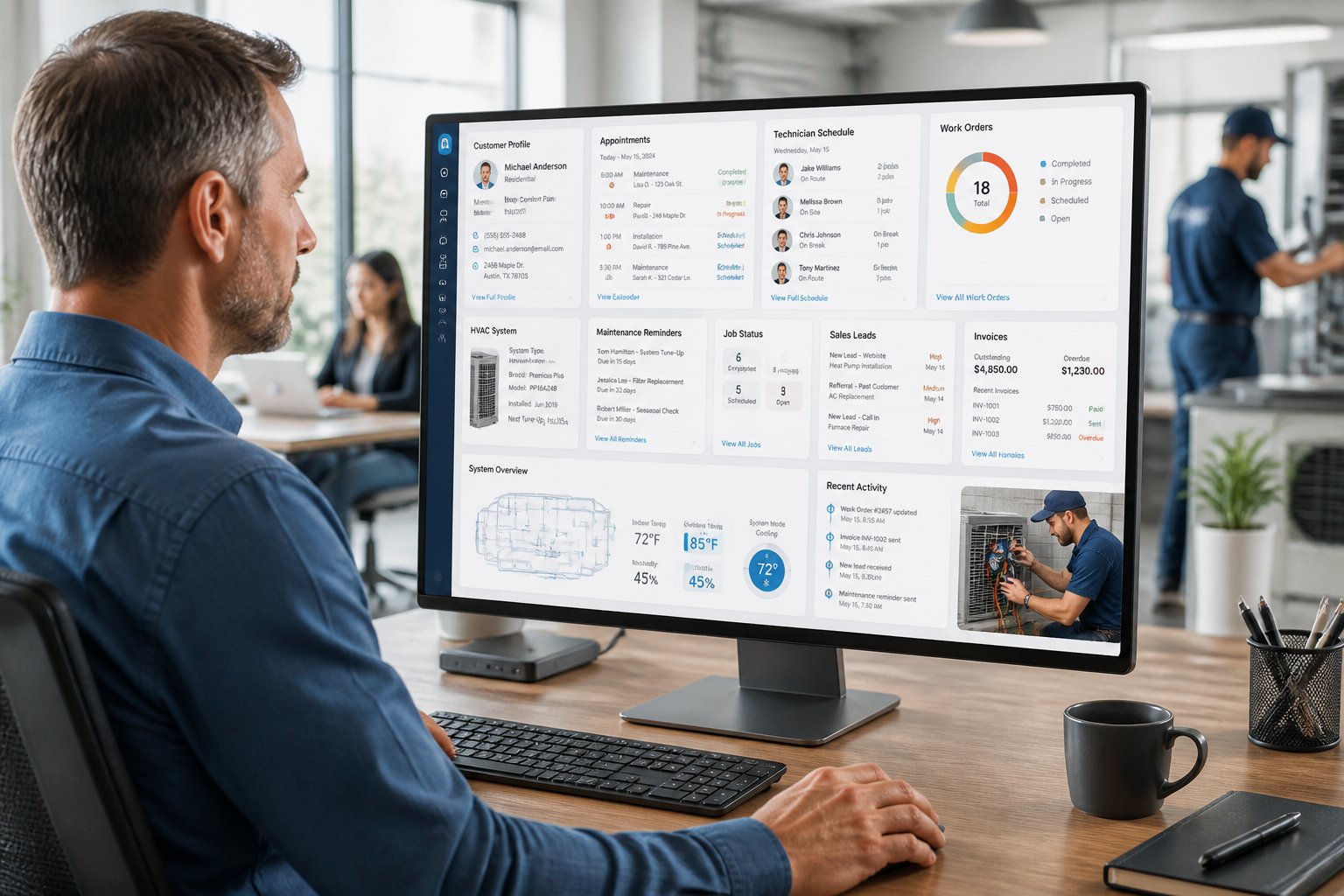
A CRM for HVAC businesses should close that gap by keeping every lead, service call, and payment history in one place your team can check before a truck rolls. Resident Review builds this idea into a platform made for the trades, pairing standard CRM tools like lead tracking and job notes with customer reviews written by other verified businesses.
That means you can flag a problem customer or check what another HVAC or plumbing company experienced with the same address, all before you commit a crew.
Keep reading to see what a CRM should track from the first call to final payment, which features are worth paying for, and how customer vetting fits into your daily dispatch routine.
What Your HVAC System Must Track From First Call to Final Payment
A CRM built for HVAC work needs to follow one customer record from the first phone call through the final payment, without gaps. If your team has to check three different tools to answer, "have we worked with this person before," the system isn't doing its job.
The core of any HVAC CRM software is a single customer record that grows over time. Every call, quote, and invoice should attach to that record automatically, so your office staff and technicians see the same history no matter who answers the phone.
Lead Details and Customer Records
Every new inquiry should land in one place with contact info, the property address, and how the lead came in. Custom fields let you flag HVAC-specific details, like system age or brand, without cluttering the main record.
Service History, Equipment Details, and Private Notes
Past service calls and installed equipment should sit right next to the customer's contact info, not in a separate spreadsheet. This is also where private notes matter most: a note about a late payment or a difficult access situation saves your next tech a bad afternoon.
Quotes, Work Orders, Invoices, and Payments
Quotes should convert into work orders with a click, and invoices should track whether a customer paid on time; the same discipline behind spotting a customer who won't pay before you start the job. Look for online payments built into the platform so techs are not chasing checks weeks after the job closes.
Maintenance Agreements and Repeat Service
Recurring maintenance contracts need automatic reminders, not sticky notes on a whiteboard. A CRM that tracks service agreements and sends renewal alerts turns one-time customers into repeat revenue without extra admin work.
Once your records are organized, the next question is which features actually justify the cost of a new system.
Which Features Matter Most Before You Buy
The features that matter most are the ones your crew uses every day: scheduling, mobile access, follow-up automation, and job costing. Everything else is a nice extra, not a reason to switch platforms.
Picking CRM software for HVAC businesses gets easier once you separate must-have features from features that sound good in a demo but rarely get used.
Scheduling and Dispatch Tools That Fit Your Crew Size
A dispatch board should show every technician's day at a glance, with drag-and-drop rescheduling for emergency calls. Smaller teams need simple scheduling, while larger crews benefit from route optimization that cuts drive time between jobs.
Mobile Access for Technicians in the Field
Technicians need a mobile app that works without a signal, since basements and mechanical rooms often have none. Offline mode that syncs once the tech is back in range keeps job notes and photos from getting lost.
Follow-Up and Reminder Workflows That Do Not Let Leads Go Cold
Automated follow-up on unsigned quotes recovers revenue that would otherwise disappear. A CRM should send appointment reminders automatically and flag quotes that have gone quiet for more than a few days.
Accounting, Inventory, and Job Profitability Controls
A QuickBooks integration saves hours of double entry between your CRM and your books every month. Inventory tracking prevents trucks from running low on common parts, and job costing shows which jobs actually made money.
Before you commit to any of these tools, compare a few options side by side:
- Dispatch board with drag-and-drop scheduling – best for teams with more than five techs juggling daily changes
- Mobile app with offline mode – essential if your crews work in basements, crawl spaces, or rural areas with weak signal
- Automated quote follow-up – recovers leads that would otherwise go cold within a week
- QuickBooks sync – cuts manual bookkeeping time for shops already using QuickBooks Online
- Job costing reports – shows true profit per job, not just revenue booked
Features only protect your business if the customer behind the job is someone worth dispatching to in the first place.
Why Customer Vetting Belongs in Your Daily Workflow
Checking a customer's history before dispatch should be as routine as checking the weather before a roof job, the same habit a pre-acceptance risk-management routine is built around. Skipping this step leads to no-shows, disputed invoices, and unsafe job sites.
A CRM full of your own notes only tells half the story, because it only reflects what you personally experienced. Customer vetting closes that gap by pulling in what other verified businesses already know.
The Risks Hidden Behind a New Service Request
A new customer with no history in your system is a blind spot. They might be a first-time caller with a simple compressor issue, or they might be the same person who stiffed a plumbing company down the street last month; the kind of warning sign worth catching before you dispatch.
Without shared information, your office can't tell the difference until a tech is already standing in the driveway.
Using Verified Business Feedback Before You Commit a Crew
Resident Review lets verified HVAC, plumbing, and other trade businesses log customer reviews after a job, visible only to other registered businesses on the platform.
Before dispatching, your team can check whether another contractor flagged that address for non-payment, unsafe conditions, or repeated cancellations. That single check, done in a couple of minutes, can save a truck roll and protect your crew from walking into a bad situation blind.
Combining Property Details With Your Own Job Notes
Property data adds another layer, showing address details alongside your private notes and any business-to-business reviews. Layering property information with your own service history and verified feedback from other companies gives your dispatcher a fuller picture in one screen:
- Check the customer's history in your own CRM notes
- Search the address for reviews left by other verified trade businesses
- Confirm property details match what the customer described on the phone
- Flag any red flags for the dispatcher before assigning a technician
With vetting built into the daily routine, the next step is figuring out what this all costs and whether it pays off.
How to Compare Cost, Adoption, and Return on Investment
The right system pays for itself by recovering leads you would have lost and preventing jobs you should have declined. Cost matters, but adoption and measurable return matter more over a full year.
Shops evaluating HVAC CRM pricing often focus only on the monthly fee and miss the higher cost of a system nobody on the crew actually uses.
What Small HVAC Teams Need Now vs. Later
A two-person shop needs simple lead tracking, mobile access, and invoicing. A twenty-person operation needs route optimization, job costing by crew, and multi-technician dispatch boards. Buy for where your business is now, with room to add features as you grow, instead of paying for tools that sit unused for two years.
Questions to Ask During a Demo
Bring a real scenario from last month's schedule into every demo call. Ask the sales rep to walk through how the system would have handled that exact situation, not a scripted example.
- Can our office team import existing customer records without losing history?
- How does the mobile app perform with no signal in a basement or crawl space?
- What does the QuickBooks Online sync actually transfer, and how often?
- Can we flag a customer's file with a private note visible to our whole team?
- What is the true monthly cost once we add every seat and integration we need?
How to Measure Whether the System Is Paying Off
Track quote-to-close rate, average time between call and invoice, and how many maintenance agreements renew automatically. Retained customers cost less to serve and tend to spend more over time, which is why a CRM that keeps recurring customers coming back typically pays off faster than one that only helps close new leads.
If those numbers don't move within the first two seasons, the system isn't delivering. Numbers tell you if a tool is working. The last step is choosing which records actually keep your crews safe on the job.
Choose Records That Help You Make Safer Dispatch Decisions
The records worth keeping answer one question fast: is this a customer worth sending a crew to? Everything else in your CRM should support that single decision.
Lead tracking, private notes, and customer reviews only matter if your dispatcher checks them before the truck leaves and runs through the same pre-job risk checklist every time. Build a habit around pulling up the full customer record, including any flags from your own team or from other verified businesses on Resident Review, every time a new or repeat job comes in.
Frequently Asked Questions
What Is the Best CRM for a Small HVAC Business?
The best CRM for a small HVAC business handles lead tracking, mobile access, and invoicing without requiring a large team to manage it. Look for simple setup, an offline-capable mobile app, and pricing that scales as you add technicians.
Do HVAC Companies Need a CRM and Field Service System?
Most growing HVAC companies need both, since a CRM manages customer relationships while field service tools handle scheduling and dispatch. Many platforms combine the two, which saves you from juggling separate logins and duplicate data entry.
What Customer Information Should HVAC Contractors Check Before Dispatching a Technician?
Contractors should check payment history, past service notes, and any flags from other verified businesses before sending a tech to a new or returning customer. Resident Review lets you check business-to-business reviews and property data alongside your own CRM notes for a fuller picture.
Can an HVAC CRM Track Service Agreements and Maintenance Reminders?
Yes, most HVAC-focused CRMs track service agreements and send automatic maintenance reminders to keep recurring revenue on schedule. This feature turns one-time repair customers into long-term maintenance clients without extra manual follow-up.
How Much Does CRM Software for HVAC Businesses Cost?
Pricing varies widely by provider and feature set, and many platforms do not publish full pricing without a custom quote based on crew size and add-ons. Ask for the total monthly cost, including every seat and integration, before comparing platforms.
Can a CRM Help HVAC Contractors Avoid Problem Customers?
A CRM with private notes and verified business reviews helps contractors avoid customers with a history of non-payment or unsafe job sites. Resident Review adds this layer by letting verified HVAC and other trade businesses share real experiences with each other, visible only within the registered business community.
Real Businesses, Real History
A CRM full of your own notes only tells half the story. It reflects what you've personally experienced, not what every other verified business in your area already knows about that same customer.
Resident Review adds that missing half: verified peer reviews, property data, and private CRM notes tied to every customer record, all built by real, registered trade businesses, not anonymous accounts.
Get started for free and see what other local contractors already know before you dispatch your next crew.
Comments (0)
No comments yet. Be the first to share your thoughts!
Leave a Comment
Please log in to post a comment. Guest comments are not enabled here.
Login to Comment